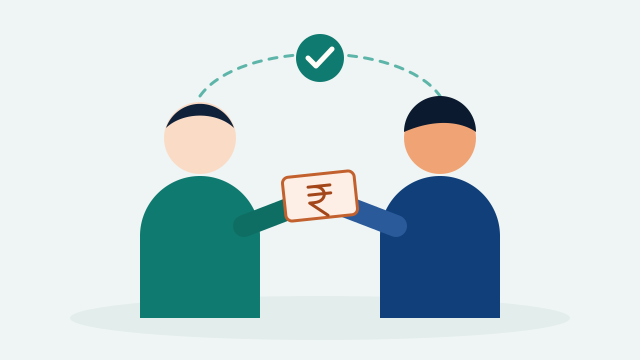
Len Den is the part of SplitMitra for money that moves between two friends: you record what you gave or got, your friend confirms it, and you both see what’s left until it comes back. It is not a split and not a financial product. It’s one shared record, so neither of you has to remember.
01
The Money Nobody Writes Down
You paid for Rahul’s concert ticket because his card wasn’t working. Priya covered your airport cab at 5 am. Your flatmate topped up the rent this month and said “pay me whenever”.
None of this is a trip or a group expense. It is ordinary give and get between friends, and it happens every week. It also gets forgotten every week. Three months later nobody is sure whether it was ₹1,500 or ₹2,000, or whether half of it already came back over UPI.
Most of us keep this in our heads, in a notes app, or in a WhatsApp chat we scroll through later. Len Den gives it one place, and it’s a place both people can see.
02
What Len Den Is, and What It Isn’t
Len Den is always between exactly two people who know each other: you and one Mitra. Each entry says who gave, who got, how much, and when.
- It’s a record, not a payment. Money moves however you already move it: UPI, cash, a bank transfer. SplitMitra never holds or moves your money.
- No fees, no bank, no schedules. Nobody charges anything, and there’s no paperwork. It’s two friends agreeing on a number.
- It’s not a split. If four of you shared a dinner, that belongs in a Group, where SplitMitra works out who owes whom. Len Den is for money that went from one person to another.
- Trips stay in plans. A trip balance is never moved into Len Den. If you want to carry one over, you add it by hand.
03
Record It in Ten Seconds
Open Expenses → Len Den and tap Record Len Den. Pick your Mitra, choose You Gave or You Got, and enter the amount, the date the money moved and a short note such as “concert tickets”. That’s it.
The top of the tab adds everything up into two numbers: To Get, the money that should come back to you, and To Give, the money you should return. Each entry shows what’s left and, once part of it is back, what it’s out of.
04
Both of You Confirm
Here is the part that makes Len Den different from a note to yourself. When you record an entry, your Mitra gets a notification and sees it under Waiting For You. They can Accept it, or Decline it with an optional reason if the amount or the person is wrong.
Until it’s accepted, the entry shows as “not confirmed yet” on your side, and it doesn’t count on theirs. Once it’s accepted, you both see the same number from your own side: “You Gave ₹5,000 to Rahul” for you, “You Got ₹5,000 from Aman” for him.
That small step settles the “I’m sure it was ₹1,500” conversation before it starts. If there’s a mistake, the person who recorded it can fix the entry and send it again.
05
Getting It Back, Bit by Bit
Money between friends rarely comes back all at once. Len Den is built for that.
- The person who gave marks Got Back when some or all of it returns. It counts straight away.
- The person who got the money marks Given Back after paying. The giver confirms it, so nobody’s word is taken over the other’s.
- Every return is kept in the entry’s history, so “₹3,000 left of ₹5,000” always adds up.
- If the giver has a UPI ID, the other person can tap Pay via UPI. Their own UPI app opens with the amount filled in, and they mark it Given Back after paying.
If the rest is never coming back, and sometimes it isn’t, the giver can Write Off Remaining and close the entry. Adjust handles the in-between cases, like “we counted ₹200 extra”, and the other person confirms it.
06
Gentle Reminders, Not Awkward Ones
Asking a friend for money back is the uncomfortable bit. Len Den makes it a tap: Remind sends your Mitra an in-app and push notification that names the amount left. You can send one every three days per entry, so it never turns into nagging.
There are no SMS messages and no emails. Len Den stays inside the app, between the two of you.
07
When Your Friend Isn’t on SplitMitra Yet
You can still record it. Add them as a Mitra by name, and the entry is kept as a private record that only you can see. You can mark returns and keep track as usual.
When they join SplitMitra and you connect, the record is sent to them to confirm, just like any other entry. Nothing is shared with anyone before that.
With a close friend, asking them to confirm can feel too formal. Tick Keep Private when you record it, and the entry stays yours alone: no notification, nothing to confirm. You can still send it to them later if you change your mind.
08
Free to Start
Len Den is part of every SplitMitra account. The Free tier includes a few open entries at a time, and paid plans raise or remove that limit; see Pricing for the current numbers. Entries that are settled don’t count, and your friend never needs to pay to confirm one.
09
Try It With the Next One
The best way to see how Len Den works is the next time money changes hands. Record it while you’re still standing there, let your friend accept it, and stop keeping it in your head.
Already splitting a trip or a flat with friends? Len Den sits next to your plans and groups under Expenses, so everything you give, get and share is in one app. When it’s time to settle a group, the UPI settle-up guide walks through it.